Build it, and they will come.
“It” being a growth system that connects your product with the world, and Revenue Magnet helps you build it with today's best AI-native practice.
What a growth system is
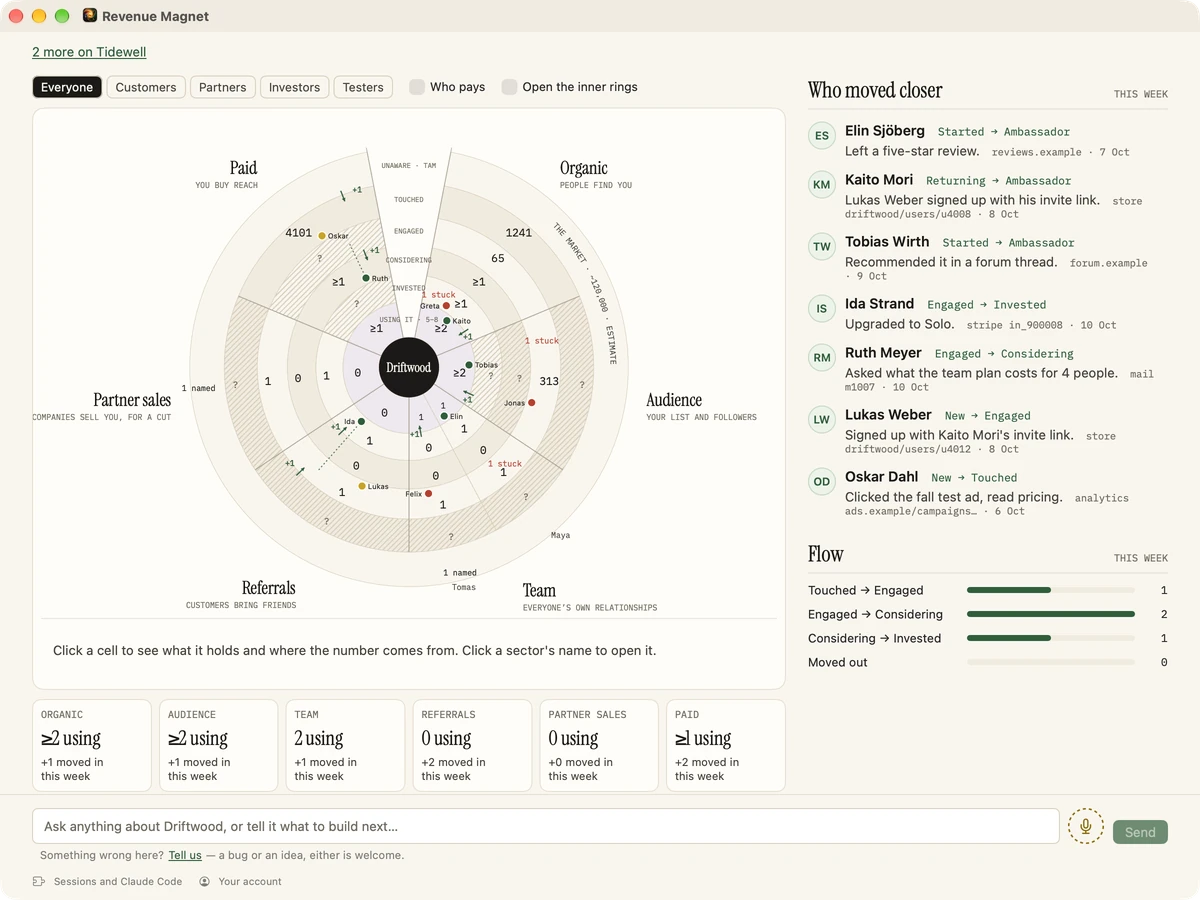
A growth system is everything out in the world that leads people to your product without you having to be there: the pages they find when they search, the listings where your kind of customer already looks, the posts on your channels, the reasons your users have to tell a friend, and the companies that pass you on to their own customers. Each part is something you build once and that keeps bringing people in, so Revenue Magnet works out which part to build next and helps you build it.
- Found in search.
It finds the searches that bring people to you and the pages where they leave, and drafts what fixes that: a comparison page, a landing page or a lead magnet.
- Listed where your customers look.
It finds the directories, registries and app listings where your kind of customer already looks, and prepares each listing for you to submit.
- Posts on your own channels.
It suggests what to tell your followers when something real has moved and drafts the posts, which you publish yourself, so your brand and your following grow from things that actually happened.
- Reasons to recommend you.
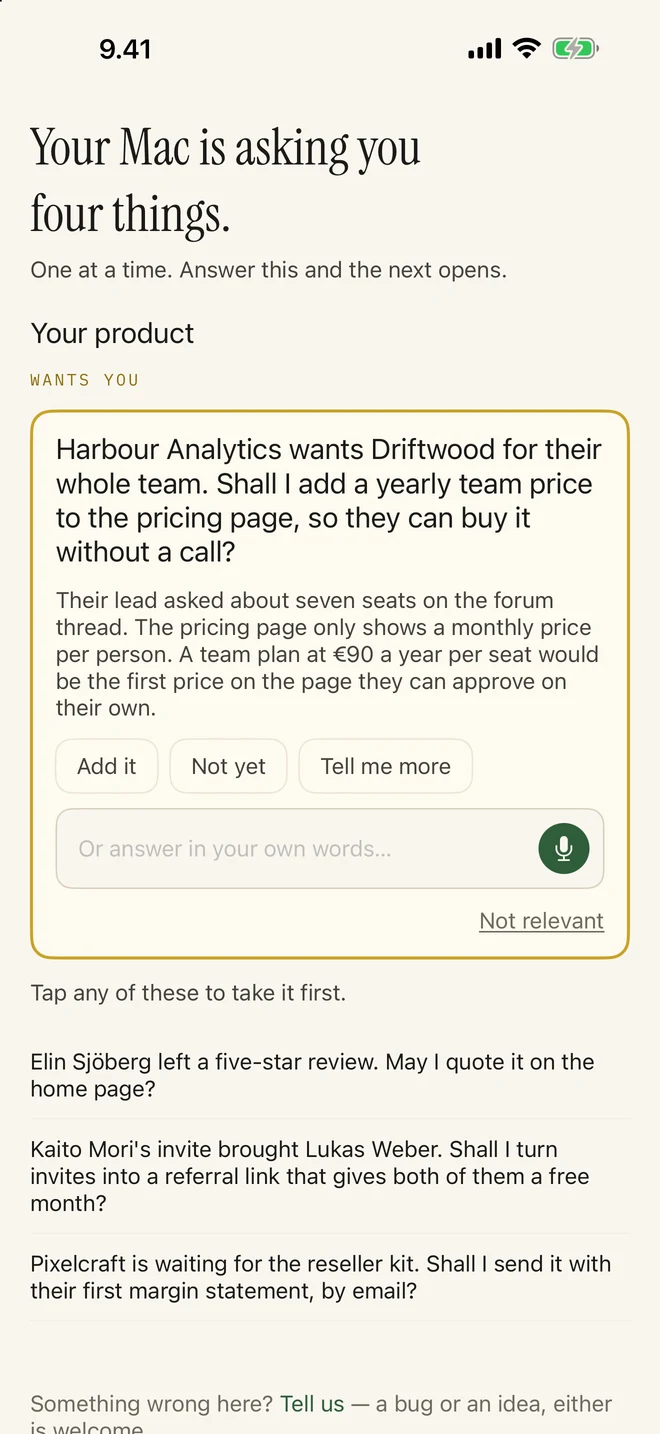
With your code, it proposes referral and sharing flows in the product, and it spots the customers who are doing well and suggests when to ask them for a review or an introduction.
- Partners who reach your customers.
It researches companies whose customers are yours too, in our company database and on the web, such as the tools, blogs and communities your audience already uses, so you can team up with the ones that would spread your product further.
- Paid channels, if you want them.
It drafts the campaigns (the ads, who they reach and the budget) for you to set live yourself, and reads your ads account to put the people they bring in on the map next to everyone else.
Without talking to anybody
Most advice on getting customers comes down to talking to people: booking meetings, taking people out to dinner, giving sales presentations. If you're building on your own, maybe as a side project next to a job, you don't have time for that and you may not want it either. What you do have time for is building things, and every part of a growth system is something you build once that keeps bringing people to your product for free, along with the feedback that tells you whether you're building the right thing. That's the work Revenue Magnet helps with, and it suggests a call or a meeting only when nothing else will move someone, and says why.
One growth system for the whole team
Research, record-keeping and first drafts are where a growth team's hours go. Revenue Magnet does that work with your own AI, so the people on the team spend their time on the decisions and on what only they can do. It works for one person, and with a team everyone can take part:
- Everyone brings their own network.
Each teammate can add their LinkedIn connections export, and the map marks whom they already know. When you want to reach someone, it names the teammate with the warmest path, so anyone can help with an introduction without being the salesperson.
- What works in one channel shapes the next.
Search, listings, posts, referrals, partners and ads sit on one map, with one playbook of what works, kept as rules with evidence that it checks against each week. A question that keeps coming up in replies becomes a page, and a page nothing links to gets a link from one people already read. It offers to write what it learned back to your team's shared folder, for whoever picks it up next.
- Everything about each person, in one place.
Each person on the map has one file that joins what your mail, calendar, CRM, analytics, LinkedIn and our company database say about them, each fact with where it came from, so whoever on the team picks them up starts from all of it.
How it works
- 1
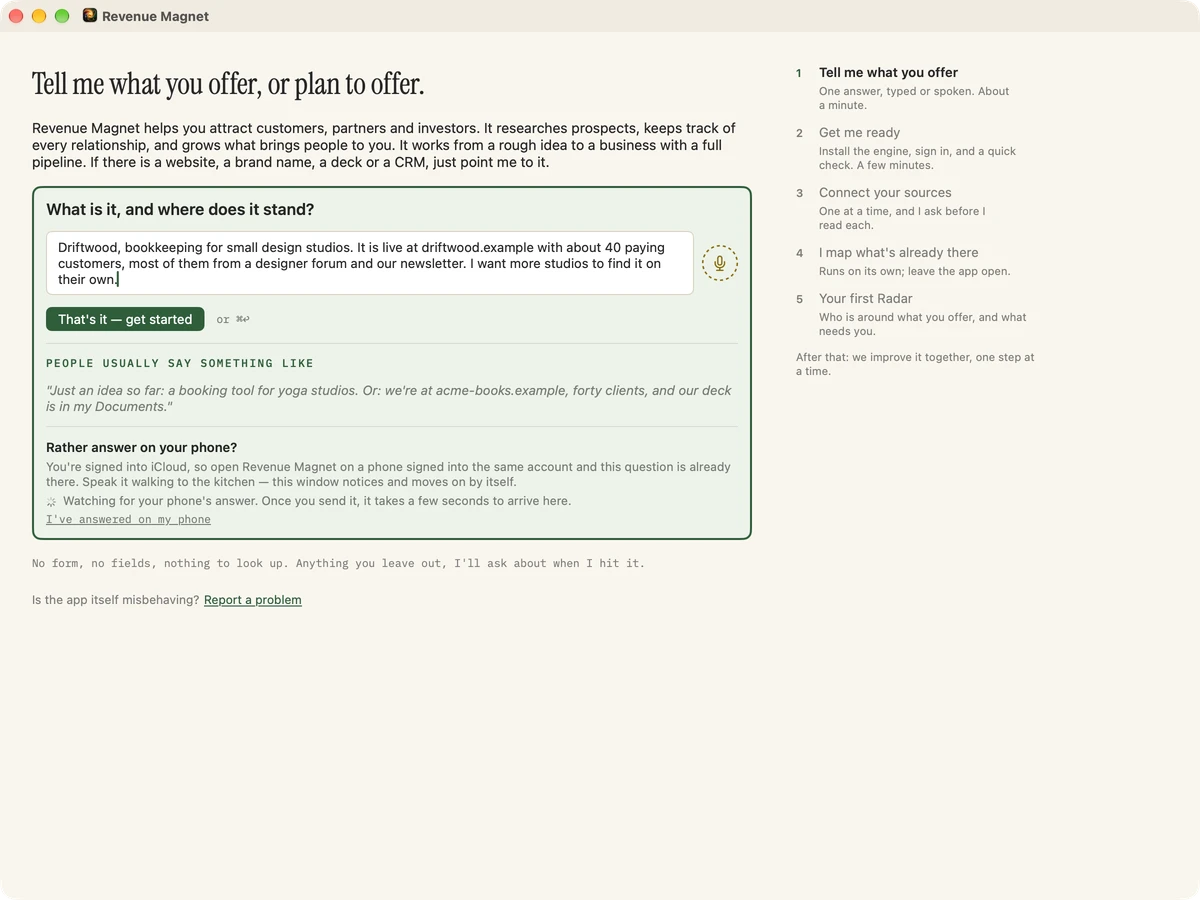
Point it at where you already work
Your team's shared folder or repo comes first, or your own if you work alone: it works from the playbooks, lists and notes there and writes back what a teammate would need. Add a sentence about the product, a link to your site or a deck, and it asks only what it can't find out for itself.
- 2
Connect what you already have
Your mail, calendar and messages, your site's analytics and Search Console, your ads account, your CRM (any you can open in a browser, such as HubSpot, Salesforce, Pipedrive, or Microsoft Dynamics 365), and your product's code if there is a repo. You point it at each source, and it connects the ones you name. Then it draws your first map from what it found.
- 3
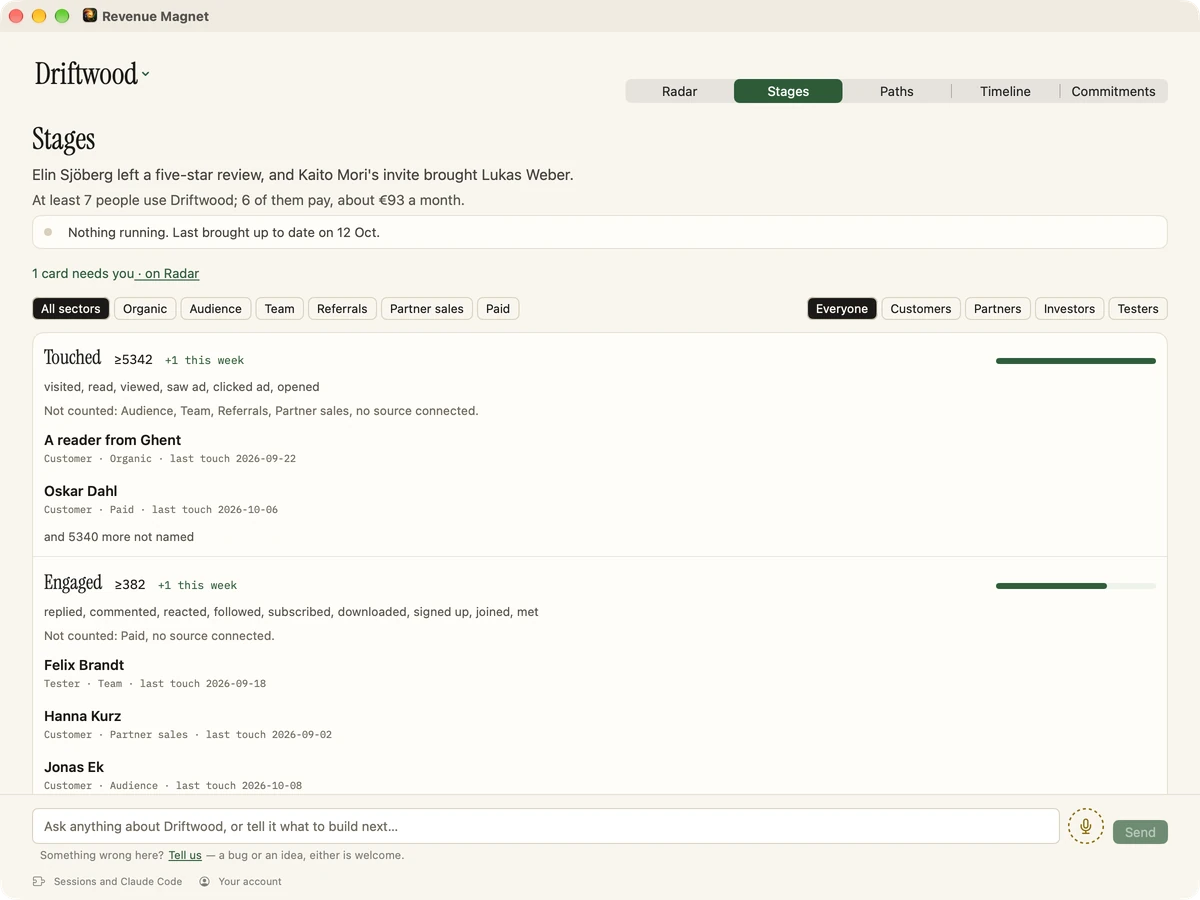
See what moved
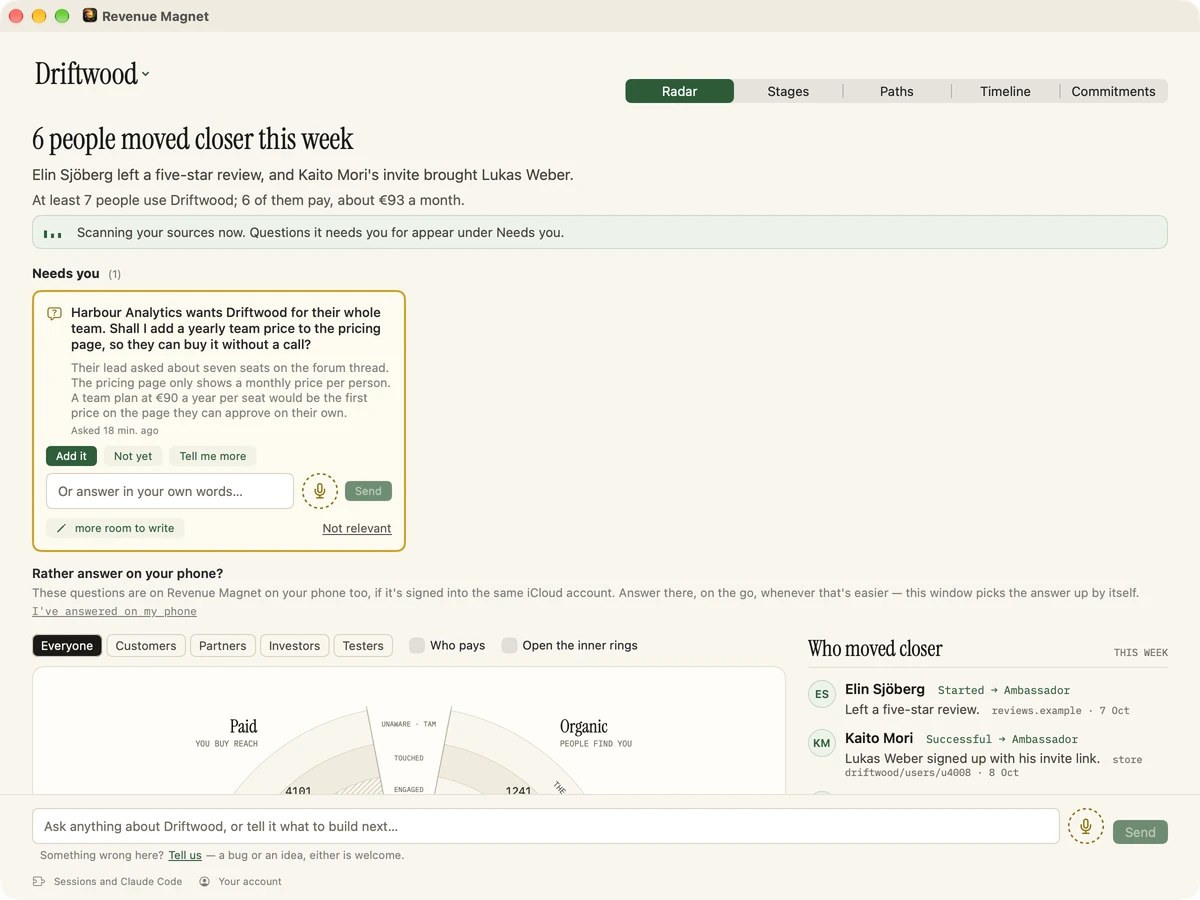
Open the Radar to see who came closer and what is waiting on you. Ask it to look again whenever you like, answer its questions, and pick the next thing to build, whether that is a page, a listing, a reply or an introduction.
What makes it different
- It works on your product as well as your contacts.
Connect your repo and it proposes the growth work that is really engineering, such as analytics events, comparison pages and onboarding, as a pull request for you to review.
- It starts from the people who already found you.
It reads your mail, analytics, ads and CRM instead of selling you a list, so your map begins with people who have actually come across your product.
- Every place on the map has a reason you can check.
Each ring is something the person actually did, and the agent can point you to where it saw it.
- Your map stays on your Mac.
It runs on your own AI subscription, Claude (Anthropic) or ChatGPT (OpenAI, through Codex). It keeps everyone as plain files on your computer, and we don't run a server that stores your map.
Who it is for
It's for those of us who love building things more than selling them, and building a growth system is how we get past that reluctance, so that people actually get to use what we built.
That includes anyone building a product with an agent, from a rough idea with no name yet to a business with a pipeline and a team.
It fits best if you already work with Claude Code or Codex in your repo, and it works without code too, from your team's shared folder, your mail, a spreadsheet or your CRM.
Pay what you decide
The whole app, at any amount including nothing. Paying puts the off switch for its favour ask in your hands, and higher amounts add a few things from us. The real running cost is your AI subscription, which you pay to Anthropic or OpenAI.
Questions
Do I need code, or a repo?
You don't: it works from a rough idea, your mail, a spreadsheet or your CRM. A repo lets it also propose changes to the product itself, which is where a lot of growth happens, and you can connect one later.
Which AI does it use?
Your own AI subscription, whichever you choose: Claude (Pro or Max) from Anthropic, through Claude Code, or ChatGPT from OpenAI, through Codex. Setup installs Claude Code or Codex if you don't have it. Other AI providers and local models don't work with it yet.
Does it send messages for me?
It drafts emails, replies and calendar invites as cards you can send, edit or drop, and it is designed to send only what you chose, from your own account. AI makes mistakes, so read what it drafts: whatever it sends under your accounts is your responsibility. Its rules keep it off social media, and for LinkedIn it gives you the text to send yourself.
Is it a CRM?
It keeps a plain file for each person and each conversation, which is enough on its own. If you already use a CRM, any you can open in a browser, such as HubSpot, Salesforce, Pipedrive, or Microsoft Dynamics 365, it reads from that and writes back to it.
What does it run on?
A Mac with Apple Silicon or Intel on macOS 14 or later, or a PC with Windows 10 or later. It runs on your own computer and keeps its files there.
What does it cost?
Whatever you decide it is worth, including nothing, plus your own AI subscription (Claude or ChatGPT).
Where does my data go?
Your map stays on your computer as plain files, and what the agent reads goes to Anthropic or OpenAI, whichever you chose, under your own subscription. We only see what you choose to send us, such as a problem report. The privacy policy has the details.